
With the nynex monitoring system (NXMS) you are able to monitor and control all iDirect terminals and hub-components easily from your web-browser.
This highly efficient tool allows you to import and administrate your clients-database and assign the existing terminals to your existing customers. User rights can individually be set and your clients can login to the NXMS as well as administrate their modems according to their rights.
With the NXMS, you are able to generate queries concerning all attributes and values of the iDirect database and illustrate the results in lists and maps. These queries can be stored for future use as well as turned into dynamically updated graphs and charts.
With the graphs and charts feature you can create your customized dashboard view for your satellite networks – this is providing you a unique and transparent overview of all your vsat infrastructure.
| Application type: | Linux based web application |
| Collection of data: | From NMS database |
| Hosting: | Nynex or Clients side |
| Number of NMS supported: | 25 |
| Number of terminals supported: | 500 (can be increased by 500) |
| Current Features: | NMS-Module |
| Client-Module | |
| Rights-Module | |
| Modem Overview-Module | |
| List Module | |
| Map Module | |
| Graph Module | |
| Dashboard Module | |
| Additional modules: | URL Filtering Module |
| Traffic Inspection Module | |
| FAP (Fair Access Policy) Module | |
| Future features: | Active Alarming Module |
| Ticketing Module | |
| Modem Comparison Module | |
| All Vendor NMS & Modem Module | |
| Maritime Module | |
| Carrier Monitoring Module | |
| Uplink Power Control Module | |
| Cross Pole Module | |
| Smartphone APP for NXMS |
This unique monitoring tool is made for:
• iDirect hub-operators
• iDirect vno-users/closed usergroup users
• corporate clients with iDirect hubs/remotes
• governements with iDirect hubs/remotes
For client side hosting you need:
• access to your iDirect hub NMS
• 2 x nynex-monitoring servers installed at your hub-location
• contractual and commercial agreement with us
For cloud hosting you need:
• access to your iDirect hub NMS
• WAN access to our monitoring cloud-space
• contractual and commercial agreement with us
For an idirect hub-operator only 2 things matter:
A. Stability of service
B. Efficiency of service
To fullfill and guarantee these two conditions, the network and the infrastructure must be under control anytime.
For a static network containing a small bunch of sites without any major changes (no site lockings or new activations, no linecard changes or addings, no capacity modification etc.) it can maybe done with the standard idirect tools just inspecting some terminals or network components from time to time or upon request.
But with this method, you already need to keep graphs, alarms and values in mind and compare or add the data sequentially with other remotes or hub-components on different screens or windows.
Having a highly dynamical network with more than 500 terminals running on several active networks using all if hub-slots with multi-chassis-configuration and 10 or more activations/lockings/upgrades per day a much higher level of control is necessary to keep the network stable and performing.
The nynex monitoring system is a linux-based, client- or cloud-hosted, scalable and module based system which can handle up to 25 NMS, all remotes attached to these NMS and all hub-linecards.
By using the nynex monitoring system you are able to check, display and compare attributes, parameters and states of your modem(s) and your hub-equipment, line-cards and nms and share it with your team or your customer(s), visualize selections of them in maps, define content-filter rules for all or specific terminals and setup real time dashboards for your operations-team with standard or custom-made graphs and charts which are updated periodically and dynamically.
The nynex monitoring system can handle all kind of data of the remote- and hub-infrastructure like:
• Rx and Tx-signal quality
• tx-power consumption
• traffic for up- and download
• modulation and codecs
• traffic per protocol
• IP settings
• gps data
• service definition per remote
• serial number
• type of modem
• type of antenna
• type of lnb
• processor load
• used line-card slot
• optionfile values
• and many more...
You can place and edit remarks for each remote or check the current location on a google map.
The nynex monitoring sysetm provides the possibility to create your own customer database with all information related to your existing or future customers. Each modem can be assigned to a customer - this is providing you an overview which modem belongs to whom.
Every customer you create is also able to login to this tool and check the modem(s) you assigned to him. By using the possibility to set rights to each customer it is possible to allow or deny him specific features - even your customers can create new customers and assign some or all of their terminals to the created customer accounts with specific and/or individual rights.
You can create all kind of different custom graphs. It doesn't matter if you like to check the total traffic of one modem, some remotes or all of them - or just the ones in one country, the ones with 1,8m dish or the ones with rx_snr better then 8.00 db. This shows the variety of graphs showing sums only. But you have the same possibilities for graphs showing counts as well. For example the growth of terminals in one country, growth-rate of x5 terminals active or the number of terminals consuming more than 5gbyte bandwidth per day. Same thing for charts in general: You are able to create charts like how many terminals are offline, how many have alarms and how many are online without alarms.
All these graphs and charts can be shared within your working-group.
Another feature is, that you can create your own dashboard layout by selecting from all these graphs and charts and configure your individual dashboard . Reference terminals can be added to each dashboard as well. With this, you or your operations team have a transparent overview about your satellite network.
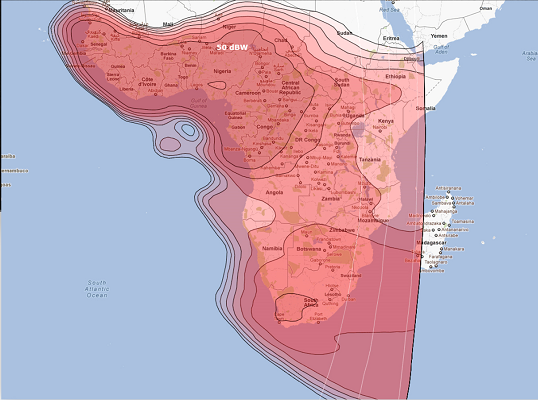
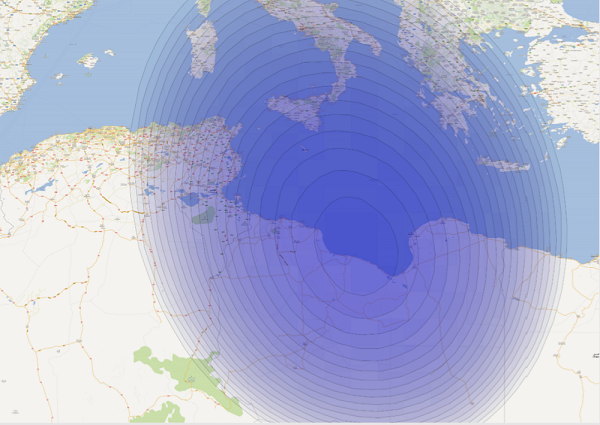
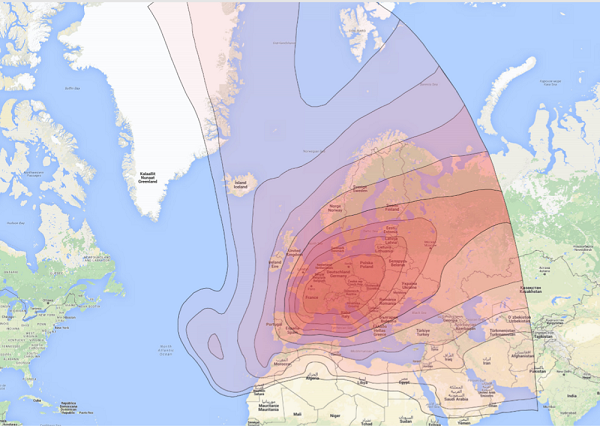
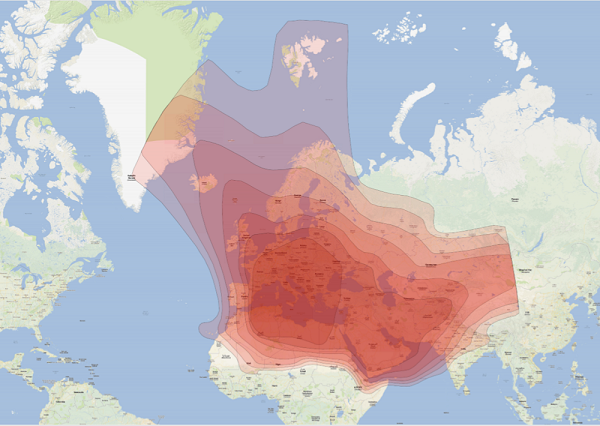
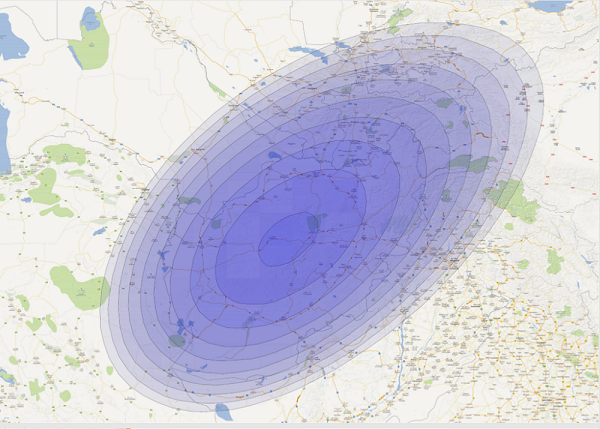
Additionally a google map feature is available to see all your remotes on the map. You can control in just one overview which remotes have a bad rx snr, tx snr or tx power value. Beside this it is provided to overlay every footprint to check the current coverage of your remotes or if planned installations are covered from a specific satelite you want to use.
To find out what will be the real benefit for your company using our tool contact us as for a demo request.
By the way:
• If you are already a nynex customer and
• If you have one or more running idirect remotes on our networks with us
THEN: This tool is automatically available for monitoring your links - free of any extra charge.
If you are interested, have suggestions or you need assistance please contact us under: contact@nynex.de.
The Nynex monitoring system has:
• more features (e.g. FAP status, modem filter settings, rights management...)
• more values (e.g. current service description, used BUC and LNB type...)
• weather at the teleports
• it is possible to build your own customer hierarchies.
BUT: The VNMS is a good way to get an impression of how powerful the NXMS is!